

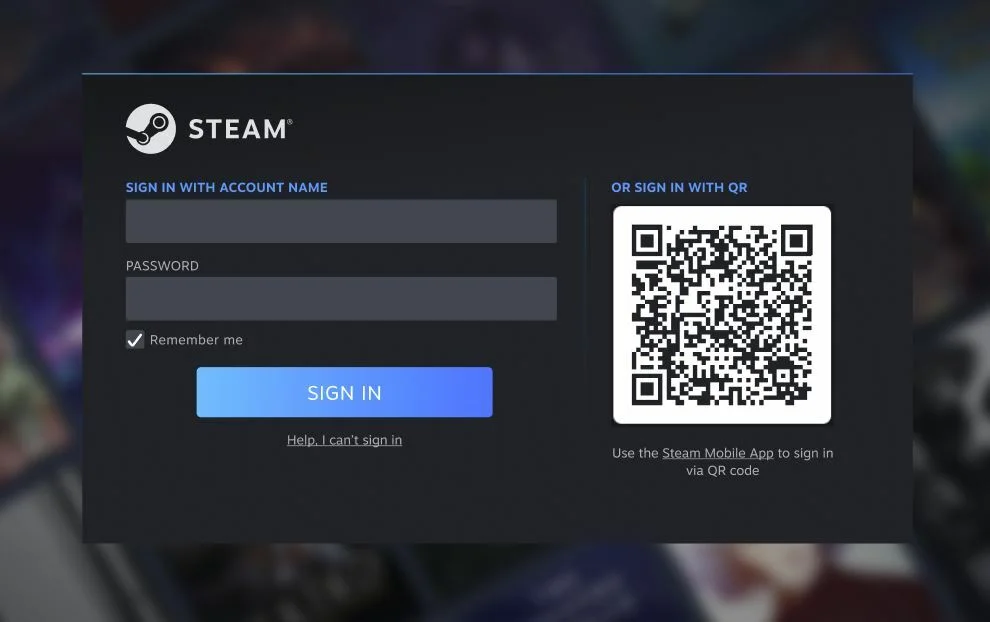
A Steam account is more than a game library; the inventory items, wallet balance and community history built up over years carry real value for most players. That is exactly why account takeover attacks are common. The good news is that most attacks can be stopped with a few basic measures. In this guide we cover five steps to protect your Steam account and the most common attack methods.
1. Turn On the Steam Guard Mobile Authenticator
Steam Guard adds a second verification layer on top of your password. There are two options: a code sent by email, or the authenticator in the Steam mobile app. The mobile authenticator is far more secure, because the code is generated on your phone and an attacker cannot see it even if your email is compromised.
- Download the Steam mobile app from the official app store and enable the authenticator in the Steam Guard section.
- Write down the recovery code (starting with R) shown during setup and keep it safe. If you lose your phone, you can get back into your account with it.
- Never share your authenticator code or recovery code with anyone. Steam Support never asks for them.
2. Understand Trade and Market Confirmations
With the mobile authenticator on, every trade and market action must also be confirmed on your phone. This means an attacker who gets into your account still cannot send your items away with one click. For accounts without the mobile authenticator, Steam holds traded items for a few days for security (a trade hold).
This hold is not something you configure; it is a measure Steam applies to protect the account. Temporary trade restrictions can also apply after a password change or a login from a new device. See these not as a nuisance but as insurance against your account being emptied without your knowledge.
On every confirmation screen, carefully read the other party's profile name and the items being sent. Before confirming, make sure the trade really is the one you started.
3. Recognise Phishing Pages
The most common way Steam accounts are stolen is through fake login pages. Attackers usually use these scenarios:
- "Can you vote for my team?" messages: a link from a friend's compromised account leads to a fake tournament site asking you to sign in through Steam.
- Fake "Sign in through Steam" windows: pop-ups rendered inside the browser that look like real windows. Even the address bar can be faked; if you cannot drag the window outside the browser, it is fake.
- "I reported you by mistake" stories: they steer you to chat with a fake "Steam employee" who asks for your account details.
- Free items and gift card promises: any link saying "you won a prize" is suspicious.
Steam's official domains are store.steampowered.com and steamcommunity.com. Addresses with one letter changed, such as steamcommunlty.com or steam-community.com, are fake. When in doubt, type the address yourself or sign in from within the Steam app instead of clicking the link.
4. Check Your API Key
A less known but increasingly common attack is the Steam Web API key scam. If an attacker briefly gains access to your account through phishing, they create an API key in your name. With it, they can monitor incoming trade offers and redirect a real trade to a fake profile that looks exactly the same. You think you are trading with the right person while your items go to the attacker.
- Sign in at
steamcommunity.com/dev/apikey. - If you see a key you did not create, use "Revoke My Steam Web API Key" immediately.
- Then change your password and follow the device authorisation step below.
5. Review Authorised Devices and Logins
If you suspect your account has been compromised before, or you have not checked in a long time, use "Deauthorize all other devices" in Steam Guard settings. This ends every session other than yours.
- The email account linked to Steam should also have a strong, unique password and two-step verification. If the email is compromised, the Steam password can easily be reset.
- Do not use your Steam password on any other site. Passwords leaked from other sites are used in login attempts on Steam accounts.
- Check the login history in account settings from time to time; if you see an unknown location or device, change your password immediately.
What to Do If Your Account Was Stolen
- If you can still sign in, change your password immediately and deauthorise all devices.
- Check the API key and revoke any key you do not recognise.
- If you cannot sign in, start the "my account was stolen" recovery process through Steam Support. Purchase records and CD key ownership help prove the account is yours.
- Warn your friends; compromised accounts are usually used to send scam messages to the friend list.
Conclusion
The mobile authenticator, a unique password, careful link checks, regular API key checks and device management: these five habits defeat almost all attacks on Steam accounts. The same principle applies to digital product and account trading: always transact on-site and with protected payment. For more security tips, see our guide to common scam traps.



Comments 1
Peki siz hesabınızı korumak için ne yapıyorsunuz?